
Planning into the future
The new version of Penciletin now allows you to plan days in advance instead of just today. Whether you are the kind of person that wants to lock down your entire work week on Monday, or you just find it easier to use Penciletin in the evenings, this update is for you. Just tap the arrow buttons next to the date to move forward and back. Penciletin will automatically provide a suggestion for the new days that you can easily update yourself.
Disable events
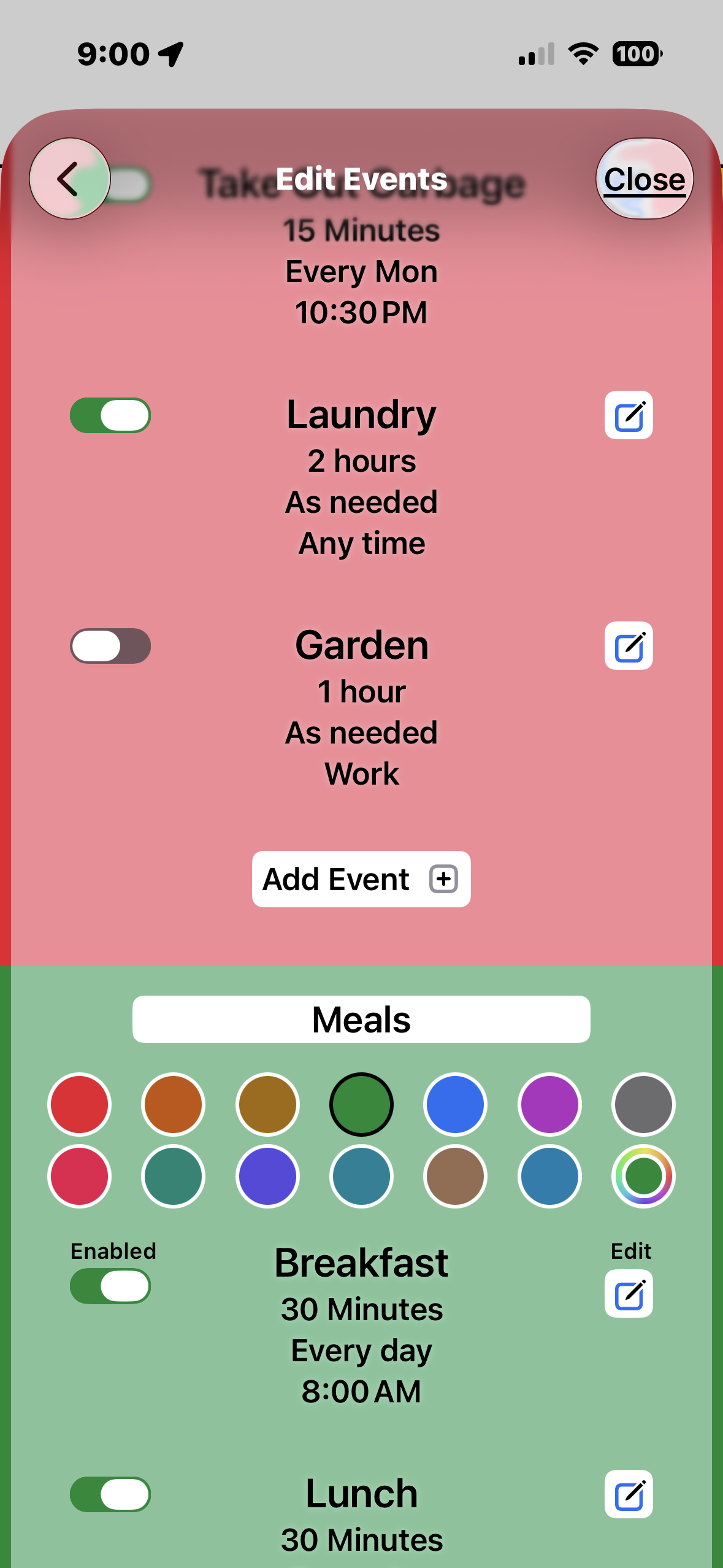
With the changing seasons, it’s time to winterize the house, break out warm clothes, and disable the summer events. One Time Events are perfect for the first two, and the latest update is here to make the last one easier. For me, it’s working in the garden and going to farmer’s markets. Previously, the only way to do not have something show up was to delete it, and recreate it later. This is just a quicker way to do that.
While seasonal changes are one reason you might not something around, there are many more:
Work is different. Maybe it’s a training week or the office is closed for renovations. Your usual weekly reports don’t need to be filled out.
If your kitchen is being remodeled, you can’t clean it or prepare food as normal.
Can’t walk the dog when his foot is bandaged up.
You can probably think of a dozen other reasons that something is put on pause for now. Penciletin is all about flexibility.
Keep in mind that the best way to go on vacation is to just stop using the app. It will be there when you go back to a regular schedule.
Now with sound
We’ve updated the alerts to use a custom chord when they appear. A fair amount of research was done looking for something that’s upbeat and encouraging, while threading the needle of getting your attention without being intrusive. All this, while knowing that most people have alerts turned silent.
New feature: Quick Add button
Version 1.1 of Penciletin is now available, featuring an all-new Quick Add button. This convenient button allows you to swiftly add a new event without any hassle. Additionally, you now have the ability to move events to a different category, making your schedule even more flexible and organized. Check it out today!

